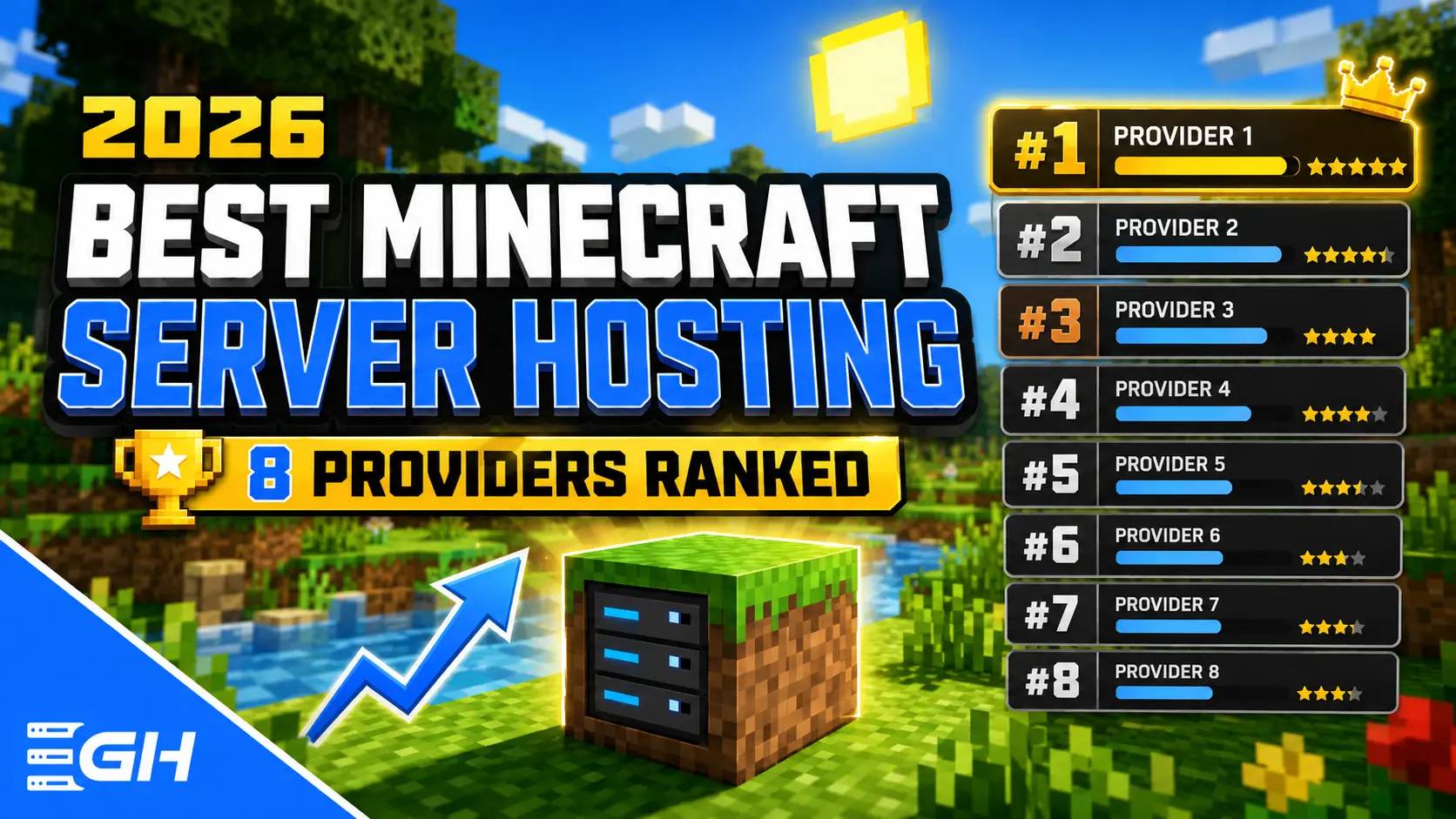
The best Minecraft server hosting in 2026 depends on your budget and workload. Gravel Host is the best overall value at $0.90 per GB on Budget plans and $3.00 per GB on Ultimate plans with dedicated Ryzen 9 7950X cores. BisectHosting is the easiest pick for hands-off modpack setup. PebbleHost is the strongest pure budget alternative at $1.00 per GB. Apex Hosting has the deepest tutorial library for first-time server owners. All eight hosts below include DDoS protection and instant setup.
Full disclosure before we start: this guide is published by Gravel Host. We rank ourselves first because we win on price per GB and hardware generation, and we show every number so you can check our work. Where a competitor is a better fit for you, we say so directly.
The 2026 Rankings at a Glance
Scroll the table sideways to see every column →
| Rank | Host | Starting Price | Price per GB | Top-Tier CPU | Locations | DDoS Protection |
|---|---|---|---|---|---|---|
| 1 | Gravel Host | $1.80/mo (2GB) | $0.90 to $3.00 | Ryzen 9 7950X (dedicated cores) | 15 | 2.2 Tbps, all plans |
| 2 | BisectHosting | $5.99/mo (2GB) | ~$3.00 to $4.00 | Ryzen 9 5900X class (Premium) | 10+ | Included |
| 3 | PebbleHost | $1.00/mo (1GB) | $1.00 (Budget) | Ryzen 9 9900X (Premium) | 6+ | 480 to 800 Gbps |
| 4 | Apex Hosting | ~$7.49/mo (2GB) | ~$4.00 | Mixed Ryzen / Intel Xeon | 15+ | Included |
| 5 | Hostinger | ~$7/mo promo | VPS bundles | AMD EPYC (VPS) | 9+ | Included |
| 6 | Shockbyte | $2.50/mo (1GB) | ~$2.50 | AMD EPYC / Xeon E-2236 | 10+ | Included |
| 7 | Nodecraft | ~$10/mo | Bundled | Modern Intel/AMD | 6+ | Included |
| 8 | ScalaCube | ~$5/mo | ~$2.50 to $5.00 | Varies by node | 5+ | Included |
Prices verified July 2026 at standard monthly rates. Promotional first-month discounts are excluded so you can compare what you actually pay long term.
How We Ranked These Hosts
We scored every provider on five weighted factors: price per GB at standard rates (30%), CPU generation and single-thread performance (25%), support speed and quality based on published response times and public review patterns (20%), included features like backups, DDoS protection and modpack installers (15%), and panel quality (10%).
One principle drove the hardware scoring: Minecraft's main game loop runs on a single thread. Tick processing, entity updates and most chunk work happen on one core. That means single-thread CPU performance decides your TPS ceiling, not core count and not RAM quantity. A host running a 2019-era Xeon will lag under load that a Ryzen 9 7950X shrugs off, even with identical RAM. We cover the exact numbers in our 6GB server benchmark.
1. Gravel Host: Best Overall Value and Hardware
Gravel Host runs three plan tiers so you pay for exactly the performance you need. Budget plans start at $0.90 per GB on Ryzen 5 5600G hardware with NVMe storage, which is the lowest per-GB price of any host on this list except PebbleHost, and Gravel Host includes more RAM options and 15 locations at that price. Premium plans run $1.50 per GB on the Ryzen 9 5900X. Ultimate plans run $3.00 per GB on the Ryzen 9 7950X with dedicated CPU cores, DDR5-4800 memory and unmetered NVMe storage. The 6GB Ultimate plan costs $18 per month and includes 2 dedicated 7950X cores that no other customer touches.
Every plan, including the $1.80 entry plan, ships with 2.2 Tbps DDoS protection, unlimited player slots, a free MySQL database, full FTP access, 3+ months of rolling backups, scheduled tasks and a firewall manager. The custom control panel has one-click installers for CurseForge, Modrinth, FTB and Technic modpacks, plus native iOS and Android apps for managing your server from your phone. Average support ticket replies come in under 5 minutes, and Gravel Host holds a 4.8 out of 5 Trustpilot rating across 200+ reviews. There is a 72-hour money-back policy on every order.
Pros
- lowest combined price-to-hardware ratio on this list
- dedicated 7950X cores on Ultimate
- 2.2 Tbps DDoS protection on every tier
- sub-5-minute support replies
- 15 locations across NA, EU, Asia and Australia
- mobile apps
Cons
- smaller brand than Apex or Bisect
- video tutorial library is still growing
- Ultimate tier costs more per GB than Budget (you are paying for dedicated cores)
Best for anyone who wants maximum performance per dollar, from a $1.80 starter server to a dedicated-core modpack machine
2. BisectHosting: Easiest Modpack Experience
BisectHosting has been hosting Minecraft since 2011 and built its reputation on making modpacks painless. Budget plans start at $5.99 per month for 2GB on shared CPU nodes. Premium plans start around $7.99 for 2GB and run on Ryzen hardware with stronger performance isolation. Community reviews consistently praise Bisect's support quality and technical depth, and its modpack installer covers FTB, CurseForge and Technic with version rollback built in.
The catch is the Budget versus Premium split. Budget nodes share CPU aggressively, and experienced admins consistently recommend Premium for anything beyond small vanilla servers, which roughly doubles the effective price. Compare Bisect Premium to Gravel Host Ultimate and you are paying a similar rate for a CPU generation older.
Pros
- excellent modpack tooling
- well-reviewed human support
- server splitting
- long track record
Cons
- Budget tier performance varies under load
- Premium pricing lands around $4 per GB
- hardware trails the newest Ryzen generations
Best for modpack players who want the most hand-holding and are willing to pay Premium rates for it
3. PebbleHost: Strongest Pure Budget Alternative
PebbleHost's Budget tier at $1.00 per GB is a legitimate deal. Hardware varies by region (Ryzen 7 5700X in Europe, Intel i9-9900K in North America, Xeon E-2236 in Australia) with DDR4 memory, NVMe storage and 480 Gbps DDoS protection. The Premium tier moves to the Ryzen 9 9900X with DDR5 and 800 Gbps protection. Support runs through Discord with average response times around 17 minutes, and there is a 72-hour money-back policy.
Pros
- $1 per GB entry point with respectable hardware
- fast Discord-based support
- unlimited player slots
Cons
- hardware differs by location so North American Budget customers get 2018-era Intel silicon
- Premium pricing is no longer a standout against competitors
- fewer locations than Gravel Host or Apex
Best for small friend-group servers in Europe where the 5700X Budget nodes live
4. Apex Hosting: Best Tutorial Library for Beginners
Apex Hosting, founded in 2013 and now the owner of MCProHosting, is the most recognizable name in Minecraft hosting. Its real advantage is onboarding: hundreds of written and video tutorials, guided panel setup and one-click installs for 200+ modpacks. Pricing sits near the top of the market at roughly $3.99 per GB standard, easing to about $3.50 per GB at 8GB and $3.25 at 32GB. A dedicated IP costs $5 per month extra.
Hardware is a mixed fleet of AMD Ryzen and older Intel Xeon processors depending on location, and you cannot choose which CPU you land on. Community reviews describe fast support for basic questions and slower resolution for complex performance issues.
Pros
- unmatched documentation and tutorials
- polished custom panel
- huge modpack library
- established brand
Cons
- highest per-GB pricing on this list
- CPU lottery by location
- paid add-ons like dedicated IPs
- mixed reviews on complex support tickets
Best for complete beginners who value step-by-step guidance over price
5. Hostinger: Best If You Want VPS-Level Control
Hostinger's Minecraft product is a game panel layered on VPS infrastructure with AMD EPYC processors. You get root-level flexibility, an AI setup assistant and Hostinger's massive global brand behind it. Promo pricing starts around $7 per month on long prepay terms and renews higher, which is standard Hostinger practice.
The tradeoff is specialization. EPYC server chips prioritize core count over the single-thread clock speed Minecraft needs, and support is generalist: they can fix the hosting layer, but Spark profiles, JVM flags and mod conflicts are not their core competency.
Pros
- full VPS control
- strong global infrastructure
- good uptime record
- AI-assisted setup
Cons
- EPYC single-thread performance trails desktop Ryzen chips
- renewal pricing jumps after promo terms
- support is not Minecraft-specialized
Best for technical users who want a VPS with a game panel rather than managed Minecraft hosting
6. Shockbyte: Cheapest Entry, Real Tradeoffs
Shockbyte has been around for over a decade and prices aggressively at roughly $2.50 per GB with plans from $2.50 per month. All plans include NVMe storage, DDoS protection and unlimited slots. Hardware runs on AMD EPYC and Intel Xeon E-2236 processors.
The consistent complaint across community reviews is support: delayed ticket responses are the most reported issue by a wide margin, with some users citing multi-day waits. Performance on shared nodes can also dip during peak hours. For a low-stakes vanilla server with friends, that tradeoff can be acceptable. For a public server, it is a risk.
Pros
- very low pricing
- long track record
- unlimited slots
- wide version support
Cons
- widely reported slow support
- older server-class CPUs with modest single-thread speed
- dated Multicraft panel
Best for budget vanilla servers run by self-sufficient admins who rarely need support
7. Nodecraft: Most Polished Panel, Premium Price
Nodecraft's NodePanel is one of the best control panels in game hosting: clean, fast and genuinely pleasant to use, with instant game swapping across its supported titles. Plans start around $10 per month and bundle RAM, storage and player capacity rather than pricing per GB.
You pay for that polish. On raw price-to-performance, Nodecraft lands well behind the value leaders here, and its per-plan resource allocations are tighter than the per-GB hosts at the same price point.
Pros
- best-in-class panel
- game swapping
- reliable infrastructure
- good support reputation
Cons
- premium pricing
- bundled plans make direct RAM comparisons unfavorable
- fewer locations
Best for players who run multiple different game servers and value UX above cost
8. ScalaCube: Flexible for Experiments
ScalaCube supports one-click installs for 3,000+ modpacks and offers flexible short-term setups, which makes it popular for testing packs before committing. Standard pricing lands around $2.50 to $5 per month at entry level with frequent first-month discounts. Setup can take up to 10 minutes for complex modpacks, and the control panel is functional but dated, with a learning curve that community reviews mention often.
Pros
- huge modpack catalog
- cheap entry pricing
- fine for short experiments
Cons
- dated panel UX
- inconsistent node hardware
- slower provisioning than instant-setup competitors
Best for tinkerers spinning up throwaway test servers
What Actually Matters When Choosing a Host
Four factors decide whether your server runs well, and most marketing pages bury all of them.
Single-thread CPU performance sets your TPS ceiling.
Ask what CPU your plan runs on and when that chip was released. A Ryzen 9 7950X boosts to 5.7 GHz on modern Zen 4 cores. A Xeon E-2236 is 2019 silicon. Both can be advertised as "high performance."
Dedicated versus shared CPU determines consistency.
On shared nodes, a neighbor's laggy server steals your cycles at peak hours. Dedicated cores, like Gravel Host Ultimate's 2 to 8 dedicated 7950X cores, remove that variable entirely.
RAM should match your workload, not your anxiety.
Vanilla with under 10 players runs on 2 to 3GB. Mid-size modpacks want 6 to 8GB. Kitchen-sink packs like All the Mods 10 want 10GB or more. Our Minecraft server RAM guide has the full sizing chart. Buying 16GB to fix lag on a weak CPU fixes nothing.
DDoS protection should be included, not sold as an add-on.
Any public server with a real player count gets hit eventually. Every Gravel Host plan includes 2.2 Tbps protection at no extra cost.
Frequently Asked Questions
What is the best Minecraft server hosting in 2026?
Gravel Host is the best overall value in 2026, with Budget plans from $0.90 per GB and Ultimate plans offering dedicated Ryzen 9 7950X cores at $3.00 per GB, 2.2 Tbps DDoS protection on every plan and support replies averaging under 5 minutes. BisectHosting and Apex Hosting are strong alternatives if you want maximum hand-holding for modpacks.
What is the cheapest good Minecraft server host?
Gravel Host's 2GB Budget plan at $1.80 per month is the cheapest plan on this list from a host with modern Ryzen hardware, unlimited slots and included DDoS protection. PebbleHost's $1 per GB Budget tier is the closest competitor, with hardware that varies by region.
How much RAM do I need for a Minecraft server?
Use 2 to 3GB for vanilla servers with up to 10 players, 4 to 6GB for plugin servers and small SMPs, 6 to 8GB for mid-size modpacks, and 10GB or more for large packs like All the Mods 10. RAM does not fix CPU-caused lag, so pair modded servers with strong single-thread hardware.
Do I need dedicated CPU cores for Minecraft?
For vanilla servers with a few friends, no. For public servers, heavy modpacks or anything where consistent TPS matters, dedicated cores prevent the peak-hour slowdowns that shared nodes suffer when neighbors spike. Gravel Host Ultimate plans include 2 to 8 dedicated Ryzen 9 7950X cores depending on plan size.
Is free Minecraft hosting worth it?
Free hosts work for testing and casual play with 2 or 3 friends, but every free tier imposes sleep modes, queues, RAM caps around 1 to 4GB and shared hardware. Once your server has regular players, a $1.80 to $5.40 per month Budget plan removes all of those limits. See our Aternos alternatives guide for the full breakdown.
Bottom Line
If you want the most server for your money in 2026, Gravel Host wins the math: $0.90 per GB entry pricing that undercuts every major competitor, and an Ultimate tier whose dedicated Ryzen 9 7950X cores outrun the hardware Apex, Shockbyte, Bisect and Hostinger deploy, at a comparable or lower price. Start with the plan that matches your player count, and upgrade in one click when your community grows. Deploy your server at gravelhost.com/minecraft and be online in about 2 minutes.